
Download BigBoss QuickOrder – Android finance app, trading tool, currency quotes, MT5/MT4 users, real-time trade history
Overview
BigBoss QuickOrder is a free Android application developed by SPARK BRIDGE ENTERPRISES LIMITED, designed to support trading operations for users of the MetaTrader 5 and MetaTrader 4 platforms. The app enables users to manage their trading accounts and execute trades on various financial symbols directly from their mobile devices. It is particularly suited for active traders who require quick access to their accounts and need to monitor market movements in real time.
The application focuses on streamlining the trading process by offering a straightforward interface for placing different types of trade orders, including limit and stop orders, which are essential for strategic trading. Real-time trade history is also accessible, allowing users to review past transactions and refine their trading strategies. The app aims to enhance mobility and responsiveness in trading, making it easier for users to react swiftly to market changes.
While the app is free to download and use, it is important to note that trading involves inherent financial risks, and users should fully understand the nature of the instruments they are trading. The developer did not provide additional details about the app’s background or organizational history beyond the company name.
Key Features & Capabilities
- MT5/MT4 Account Integration: The app allows seamless connection to existing MetaTrader 5 and MetaTrader 4 trading accounts, enabling users to manage their portfolios from mobile devices.
- Real-Time Trade Execution: Users can place trades instantly, with support for various order types including market, limit, and stop orders, facilitating both immediate and strategic trading.
- Live Currency Quote Access: The application provides up-to-date currency exchange rates and financial instrument pricing, helping users make timely decisions based on current market data.
- Trade History Tracking: A comprehensive record of executed trades is maintained, allowing users to review performance, analyze patterns, and adjust strategies accordingly.
- Mobile Trading Convenience: Designed for on-the-go use, the app supports fast access to trading functions, ideal for users who need to monitor and act during market hours from any location.
These features are especially beneficial for traders who rely on timely execution and constant market monitoring. For instance, a user can quickly set a stop-loss order while away from their desktop, reducing potential losses. Similarly, reviewing recent trades via the history log can help identify recurring patterns or evaluate the effectiveness of specific strategies. The app’s design emphasizes speed and accuracy, making it a practical tool for active traders. However, the developer did not specify any advanced analytical tools or charting capabilities beyond basic quote access.
User Interface, Workflow & Performance
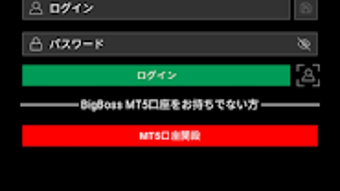
BigBoss QuickOrder presents a clean and functional user interface optimized for mobile devices. Navigation is structured around core trading functions, with key actions such as opening trades, viewing account balances, and accessing trade history arranged in a logical flow. The layout prioritizes accessibility, allowing users to perform essential tasks with minimal taps.
While the app does not include detailed charting or advanced technical analysis tools, its focus remains on order execution and account management. The workflow is designed to minimize delays between decision and action, which is critical in fast-moving markets. The developer did not specify resource usage details, so performance behavior under varying conditions remains unclear.
General observations suggest the app operates smoothly on standard Android devices, but actual CPU and RAM usage were not documented. Stability and responsiveness are likely influenced by the user’s internet connection and the performance of their underlying MT5/MT4 server. No information was provided about crash rates or background operation behavior.
Compatibility & System Requirements
BigBoss QuickOrder is available for Android devices and is designed to run on mobile operating systems that support the Google Play Store. The app is distributed as a free download, and the installation size is not specified in the provided information. The developer did not list exact system requirements such as minimum Android version, RAM, or processor specifications.
Compatibility with specific devices or screen sizes was also not mentioned. Users are advised to ensure their device meets the standard requirements for running Android applications, particularly those related to network connectivity and background processing. The app relies on a stable internet connection to sync with MT5/MT4 servers, so performance may vary depending on network quality.
Exact compatibility details were not provided by the developer.
Pros and Cons
Pros
- Free to download and use on Android devices.
- Direct integration with MetaTrader 5 and MetaTrader 4 trading accounts.
- Supports multiple trade order types for flexible trading strategies.
- Provides real-time access to currency quotes and trade history.
- Designed for fast, on-the-go trading execution.
Cons
- Does not include advanced charting or technical analysis tools.
- Exact system requirements and performance metrics were not disclosed.
- High financial risk associated with trading activities.
- Relies entirely on internet connectivity for functionality.
- Limited information about developer background and support channels.
FAQ Section
Is BigBoss QuickOrder compatible with all Android devices?
The app is available on the Google Play Store and is designed for Android smartphones and tablets. However, the developer did not specify minimum device requirements or compatibility with older Android versions.
Is the app safe to use for trading?
As a mobile application that connects to trading platforms, BigBoss QuickOrder requires access to financial accounts. Users should ensure they are using trusted devices and secure networks. The developer did not provide specific security certifications or data encryption details.
Does BigBoss QuickOrder require an internet connection?
Yes, the app requires a stable internet connection to access live market data, execute trades, and synchronize with MT5/MT4 servers. Offline functionality is not supported.
Can I use BigBoss QuickOrder without a MetaTrader 5 or MetaTrader 4 account?
No, the app is designed to work exclusively with existing MT5/MT4 trading accounts. It does not support standalone account creation or demo trading within the app.
Is the app updated regularly?
Regular updates are typical for mobile trading apps to maintain compatibility and security. However, the developer did not provide information about update frequency or version history.
Final Thoughts
BigBoss QuickOrder offers a streamlined solution for traders who already use MetaTrader 5 or MetaTrader 4 and need quick access to their accounts from mobile devices. Its core strengths lie in fast trade execution, real-time quote access, and seamless integration with established trading platforms. While it lacks advanced charting and analytical features, its simplicity makes it ideal for users focused on timely decision-making and order management.
The fact that it is free to download increases its accessibility, though users must be aware of the high financial risks involved in trading. The absence of detailed system requirements and performance data limits full assessment, but the app appears to function reliably on standard Android devices. For active traders seeking a mobile companion to their desktop trading setup, BigBoss QuickOrder delivers essential functionality without unnecessary complexity.
Download BigBoss QuickOrder now.






.png)
